Port paperwork for every vessel
MyShipDesk fills every port’s papers from your vessel’s records. You check and sign.
Why MyShipDesk
MyShipDesk is one desk for the master on board and the office ashore. The ship’s records go in once. The papers and the fleet view come out of them.
- 01
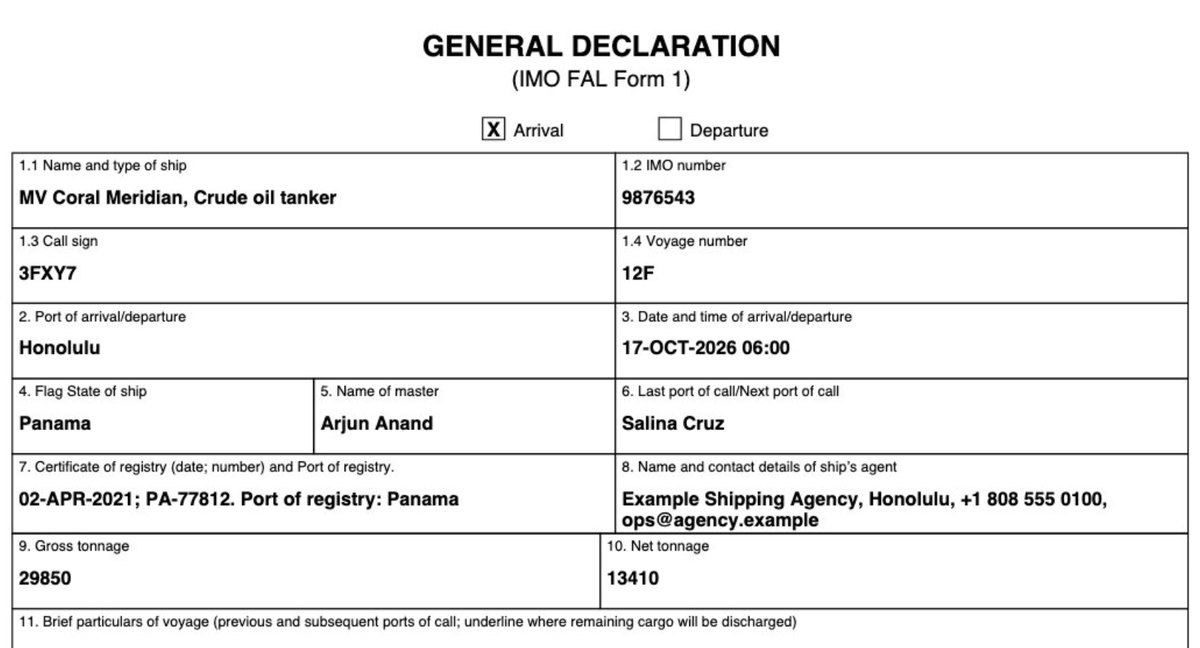
Official forms, filled
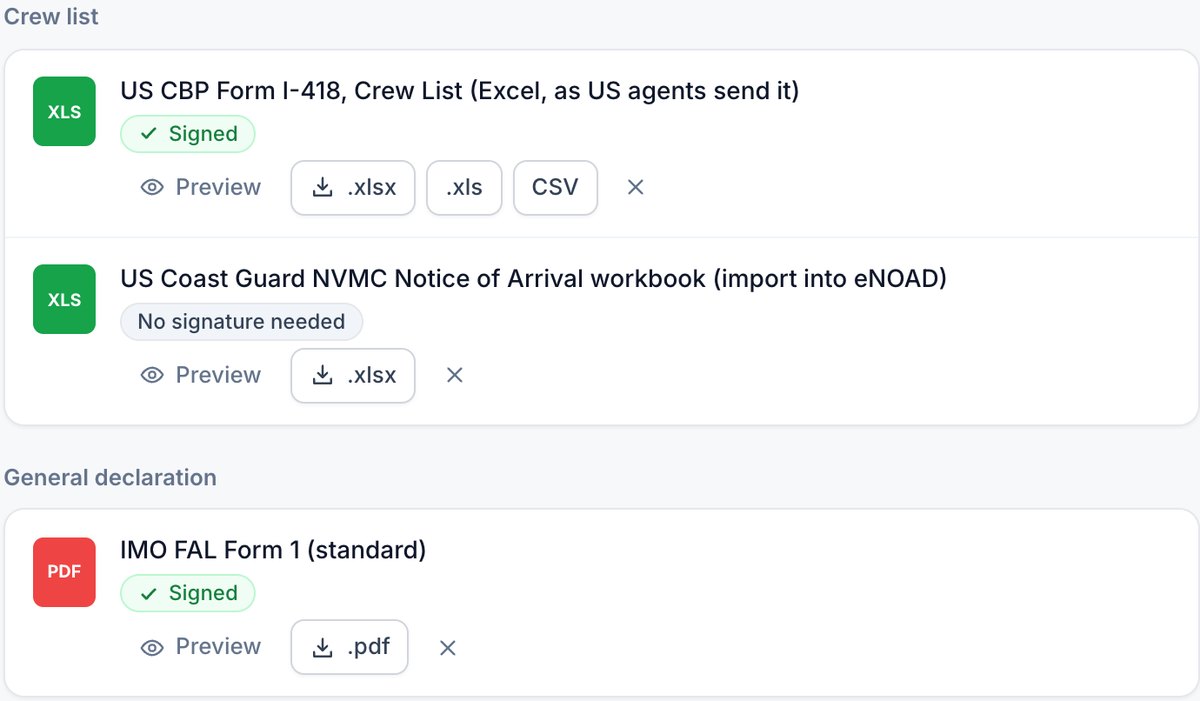
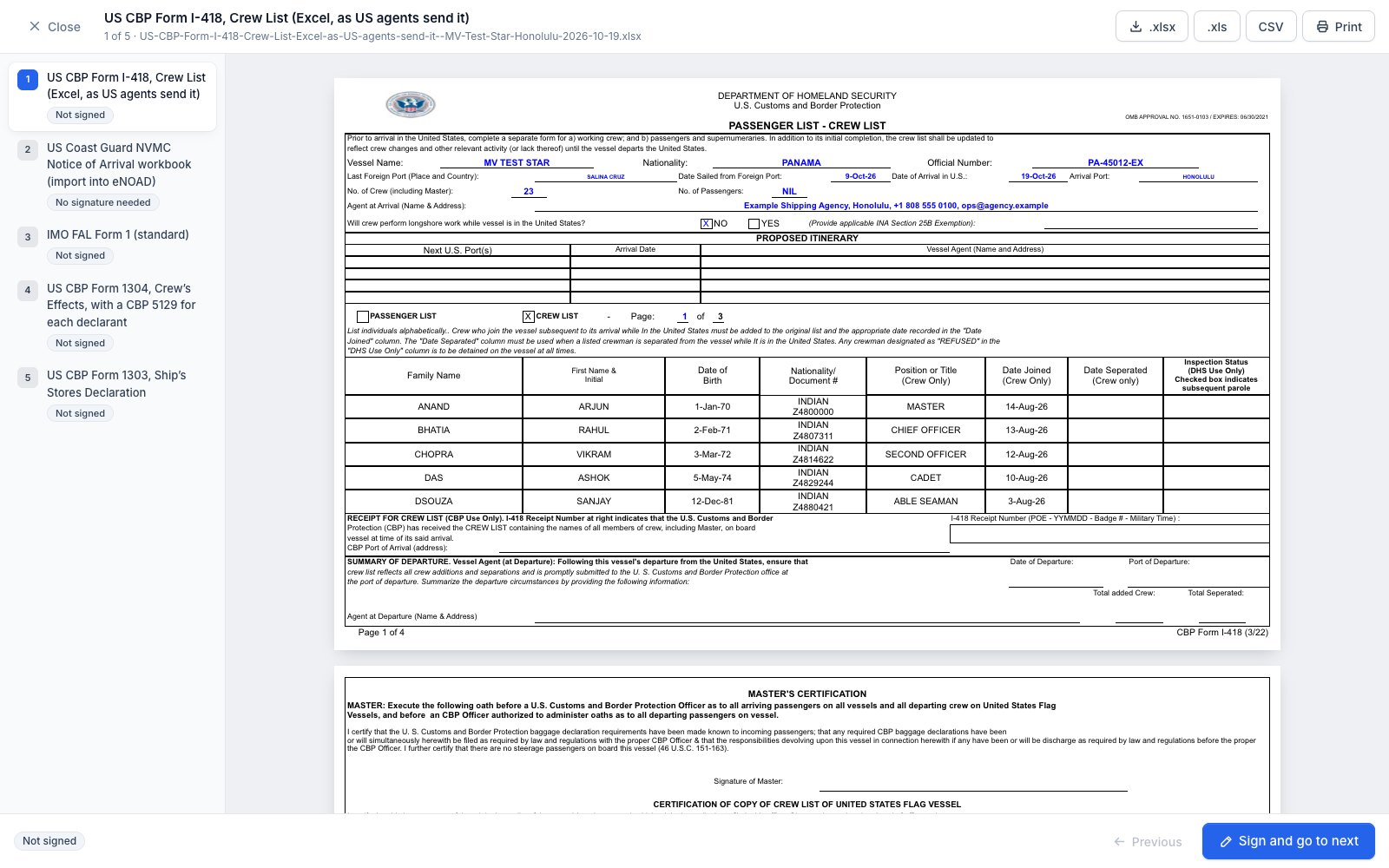
The US eNOAD workbook, CBP I-418 and FAL 1 to 5 come out filled from the ship and crew records.
- 02
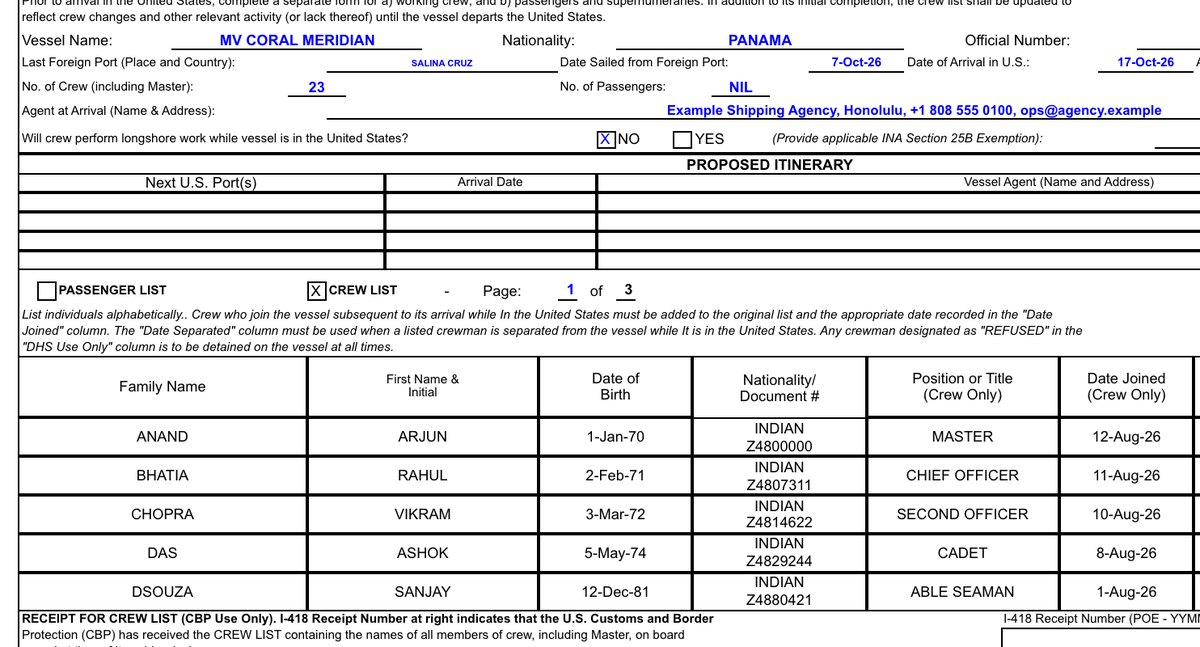
Agents’ own forms
Upload an agent’s blank form once. Every later call comes back filled in that agent’s layout.
- 03
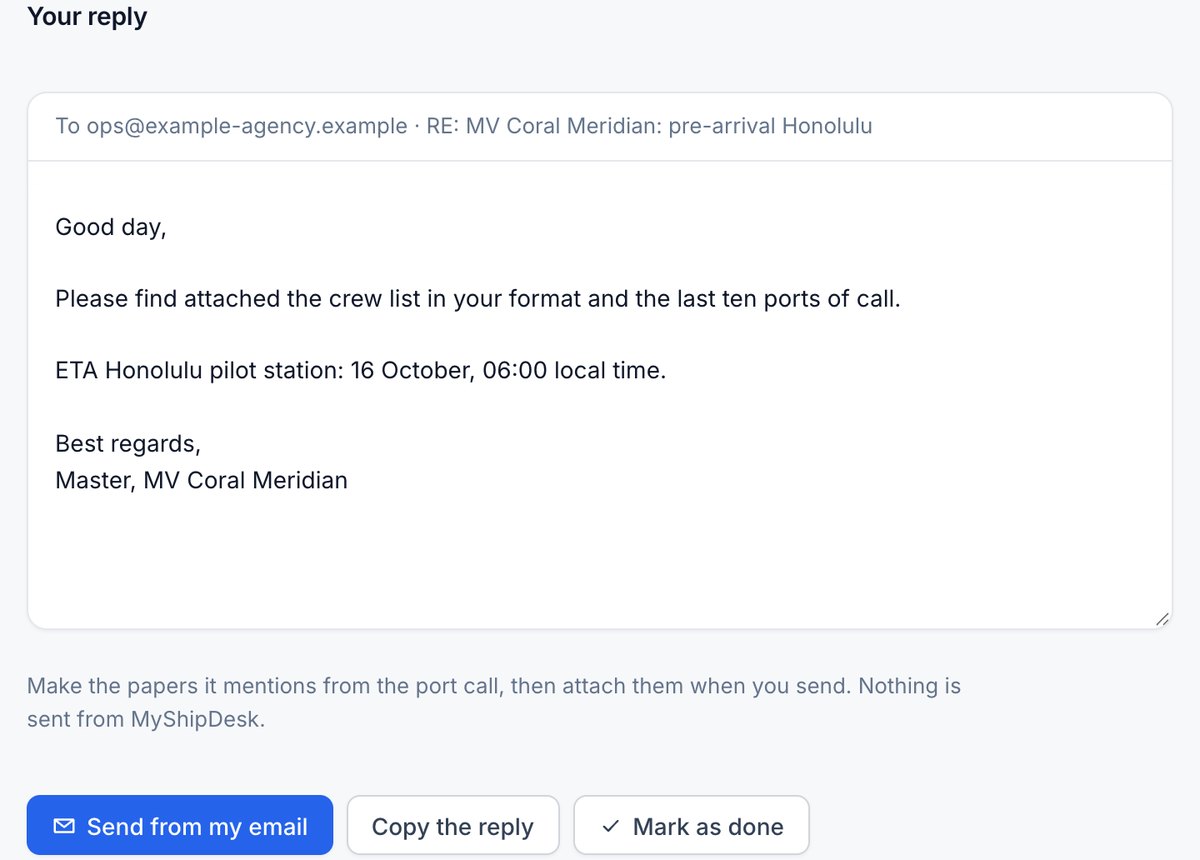
The reply, drafted
The ship’s Inbox reads each agent’s email, finds what it asks for in the records and drafts the reply for you to send.
- 04
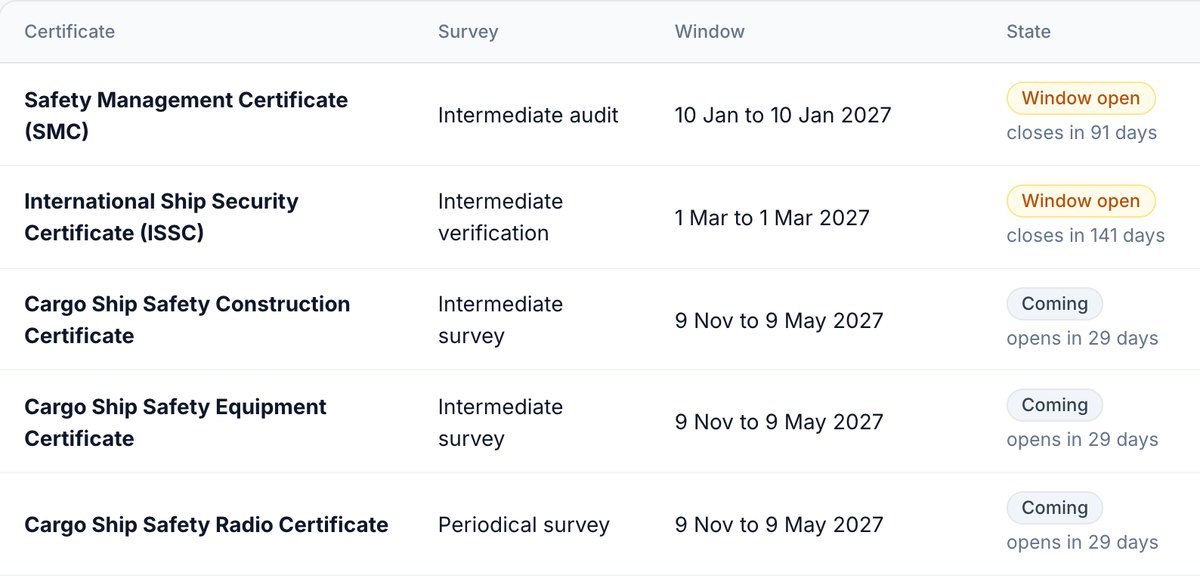
Survey windows
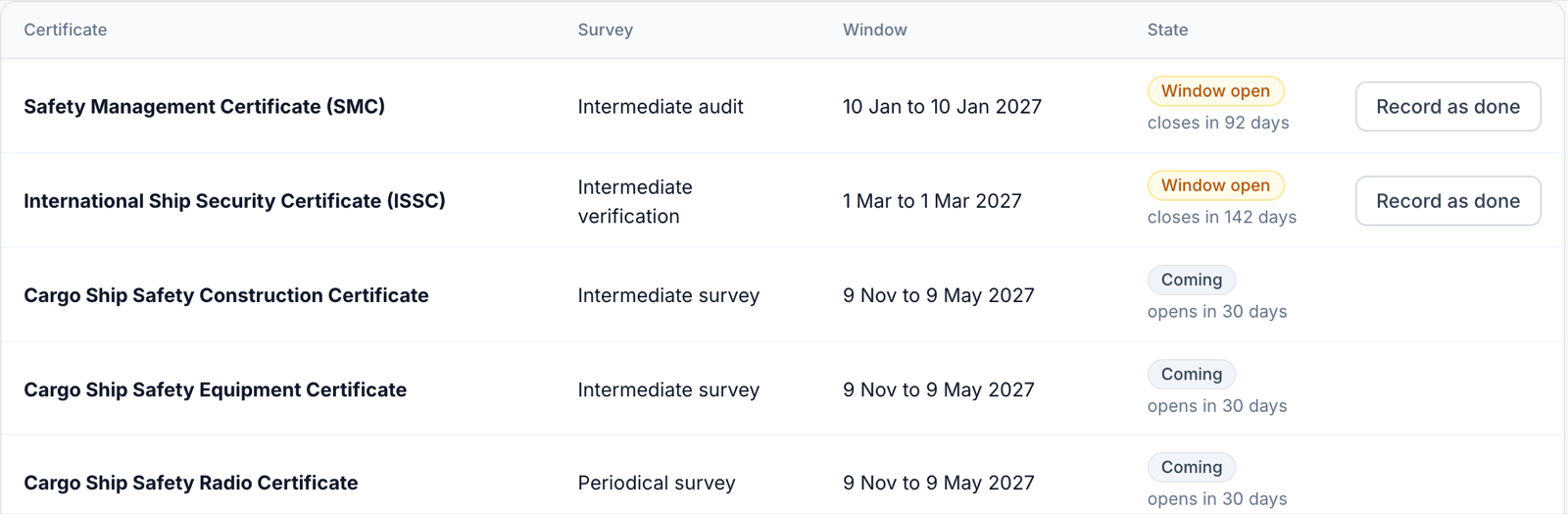
Annual, intermediate and renewal windows come from the certificate dates you already entered.
- 05
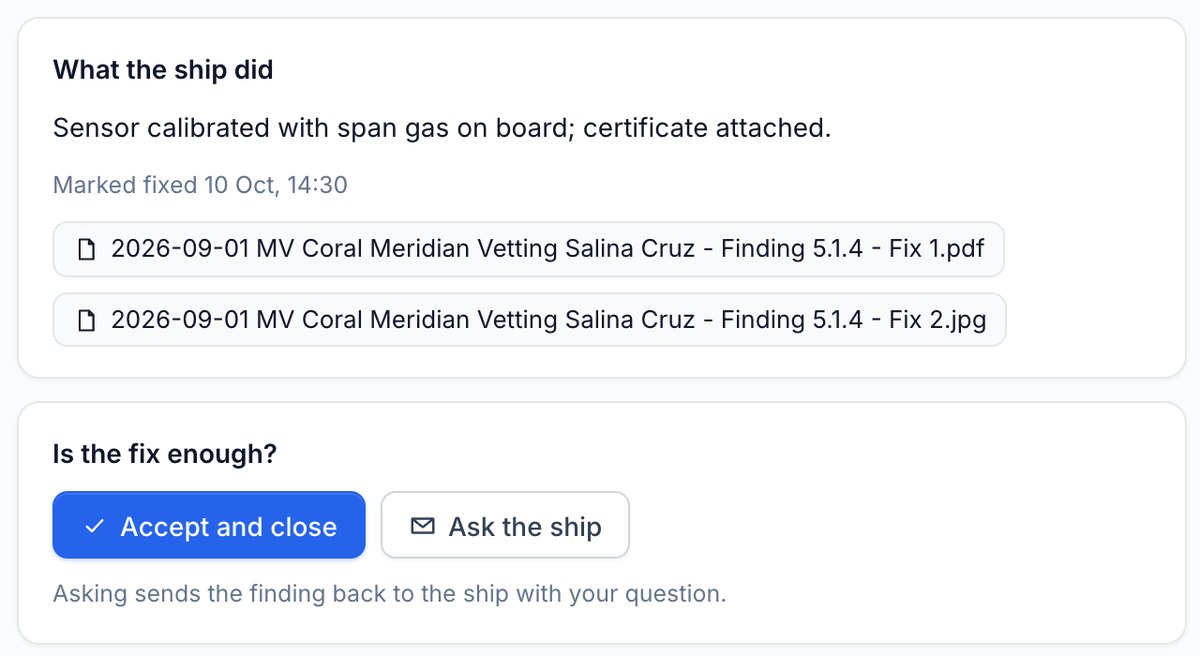
Findings closed with proof
Each finding becomes a task. The officer fixes it with a photo, and the office accepts it or sends it back.
- 06
Signed in one pass
Sign once and every paper that takes a signature is signed. Download the set as one PDF or a zip.
Prepare the port call from one set of records
Start a port call and MyShipDesk lists the papers that country asks for. Each paper is filled from the ship and crew records. You check the warnings and sign.
- p/1
Country papers
The forms for the US, the EU, Australia and the UK are built in.
- p/2
Crew lists your way
Pick the columns and their order once for your company’s crew list.
- p/3
Checks before signing
Expiring passports, missing details and repeated numbers are flagged before you sign.
- p/4
Sign on screen
The master’s signature and the ship’s stamp go on each paper.
- p/5
Any file format
Papers download as PDF, Excel, Word or the older Excel format the agent asks for.
- p/6
Past calls kept
Finished calls are filed by year, and their papers can be reused on the next one.
Ask the purser for any paper
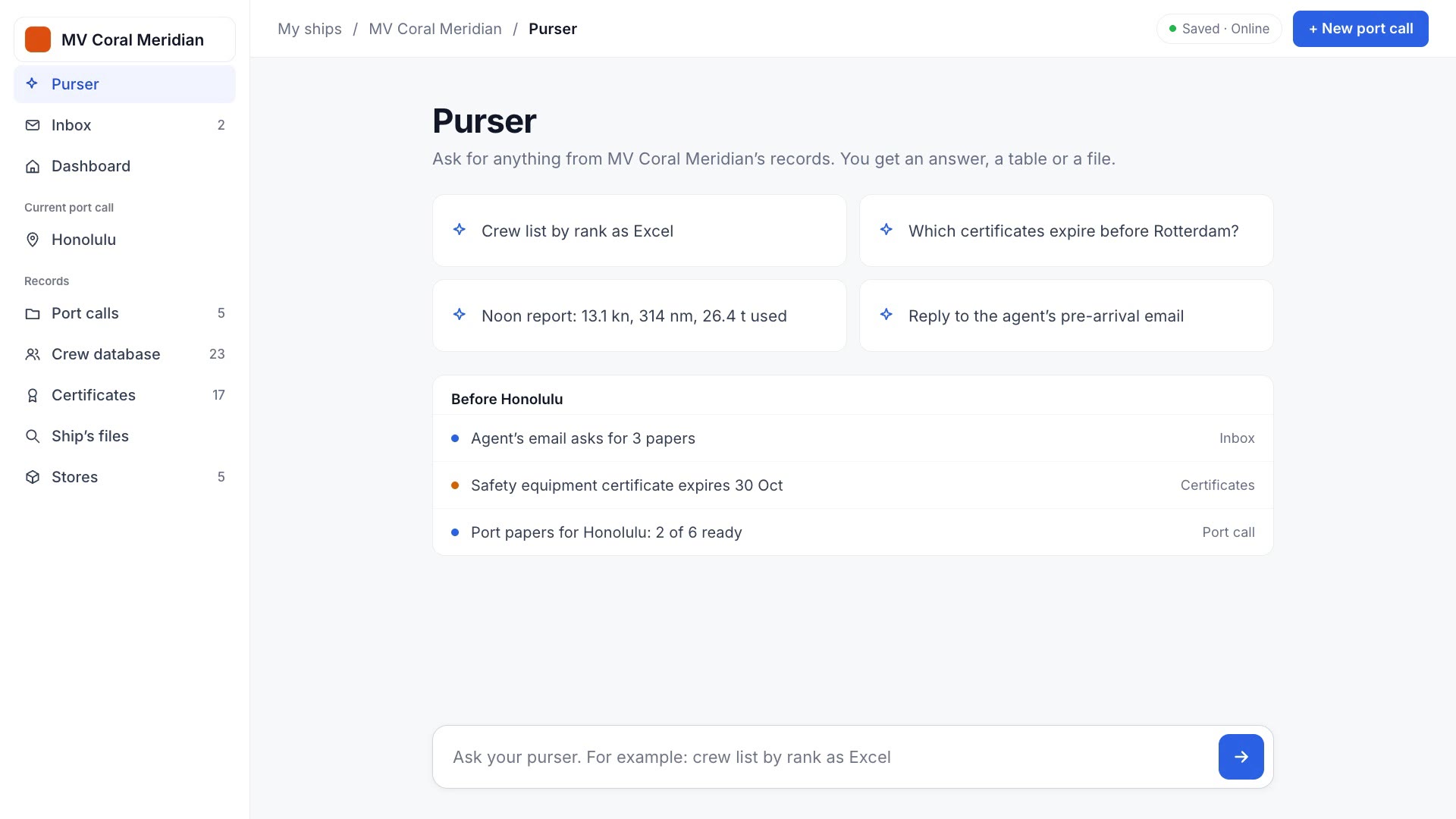
The purser is the AI on board. The master asks in plain words and the purser answers from the ship’s records. It names the records it used so you can check them.
- a/1
Crew lists on request
Ask for a crew list in any order and get it as Excel or PDF.
- a/2
Port documents
The notice of readiness, statement of facts and letter of protest are written for you.
- a/3
Noon reports checked
Each noon report is checked against the last days for fuel and ETA.
- a/4
Your company formats
Show the purser one sample report and it keeps your company’s format.
- a/5
Ship’s files sorted
Upload the ship’s folders and each file is read, sorted and made searchable.
- a/6
Replies to agents
Each agent’s email gets a drafted reply that goes out from the ship’s own address.
Close each finding before the next port
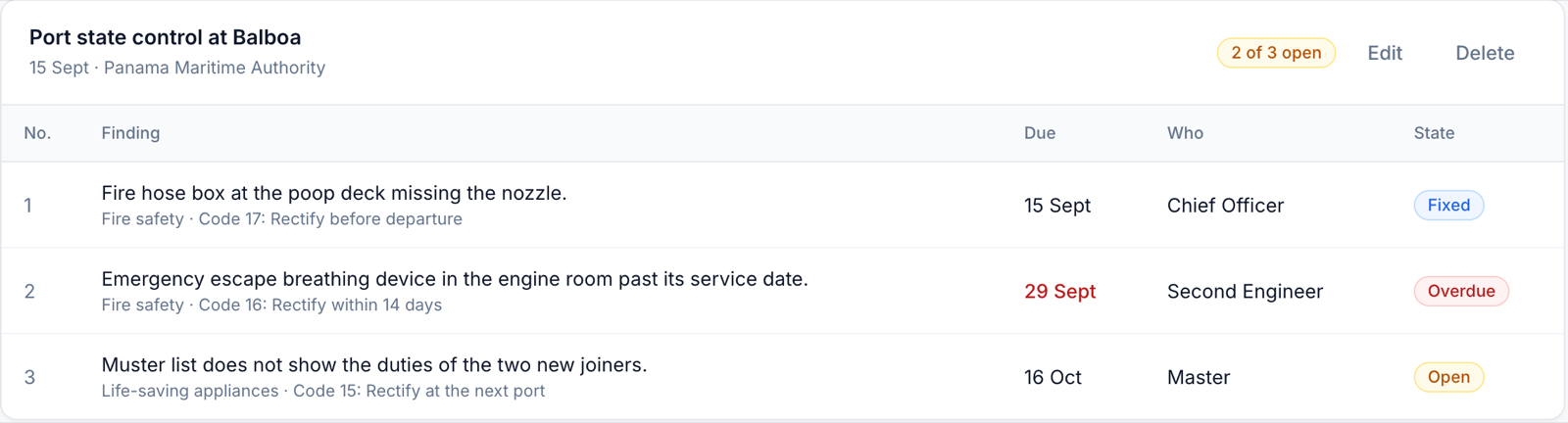
Survey windows follow from the certificates the ship already holds. Inspection reports turn into tasks with due dates. Before each port you see what an inspector will look at first.
- s/1
Survey calendar
Each certificate shows its annual, intermediate and renewal windows with the days left.
- s/2
Reports read from a photo
The purser reads each finding, its action code and its due date in a few seconds.
- s/3
Fixed with proof
A finding closes only with what was done and a photo of the fix.
- s/4
Before arrival
Certificates that expire during the stay and findings still open are listed before each port.
- s/5
Files named for you
Each report and photo is filed under its date, ship and port.
- s/6
Officers do their part
The Chief Engineer and other officers close their own findings from their own login.
See the whole fleet on one screen
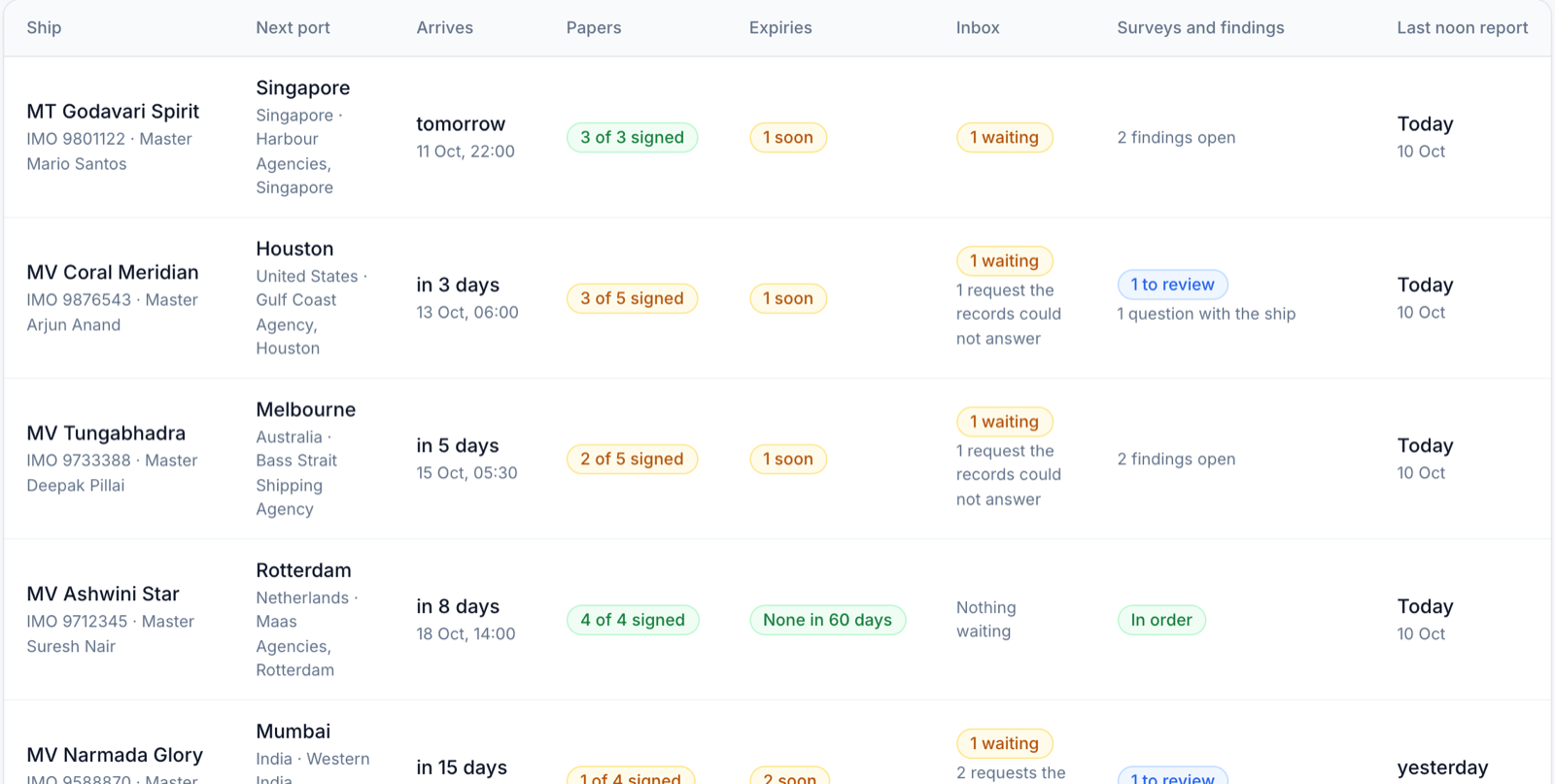
The office follows each ship from the master’s own records. Nobody types anything twice. The office reads the records and never changes them.

- o/1
One row per ship
Each row shows the next port, the papers signed and the last noon report.
- o/2
Expiries in 60 days
Passports, visas and certificates that expire soon are listed by ship and person.
- o/3
Fleet survey calendar
Survey windows that are overdue or closing are listed for all your ships.
- o/4
Fixes to review
Each fix arrives with the ship’s photos so you can accept it or send it back.
- o/5
Ask the ship
Press Ask beside any item and the master answers on that same item.
- o/6
Officers added by you
Add the Chief Engineer or Chief Officer to a ship by email.
How the purser works
The purser reads what comes to the ship: a new blank form, an agent’s email, a passport photo. It fills each paper only from your ship’s records.
- h/1
You can check it
Each answer names the records the purser used, so you can check them.
- h/2
The master decides
Nothing is sent or signed until the master approves it.
- h/3
Your data stays yours
Your records are encrypted in your account. Who else sees them is your choice, such as your company office.
See it before you decide
Try the demo ship and the sample fleet yourself. Or let us walk you through it with your own ships.
Book a demo
A 30-minute call where we show the office with sample ships.
Watch the tour
A 2:15 film of a port call from the agent’s email to the signed papers.
Free tools
Hours of rest, survey windows and passport expiry checks with no account.
Write to us
Send your question to hello@myshipdesk.com and a person answers.